

Cline Configuration Guide: Quick Setup


This guide will walk you through the process of integrating Cline with APIpie to leverage the power of multiple AI models and enhance your AI assistant experience in VSCode.
What is Cline?
Cline is an AI assistant that can use your CLI and Editor. Thanks to advanced agentic coding capabilities, Cline can handle complex software development tasks step-by-step. With tools that let it create & edit files, explore large projects, use the browser, and execute terminal commands (after you grant permission), it can assist you in ways that go beyond code completion or tech support.
Steps
1. Create an APIpie Account
- Link: Register here
- Follow the link and fill out the form to create your account.
2. Add Credit
- Link: Add Credit
- Access the subscription section after logging in to add credits to your account.
3. Generate an API Key
- Link: Generate API Key
- Navigate to the API keys section and create a new key. This key is necessary for API requests.
4. Install Cline Extension in VSCode
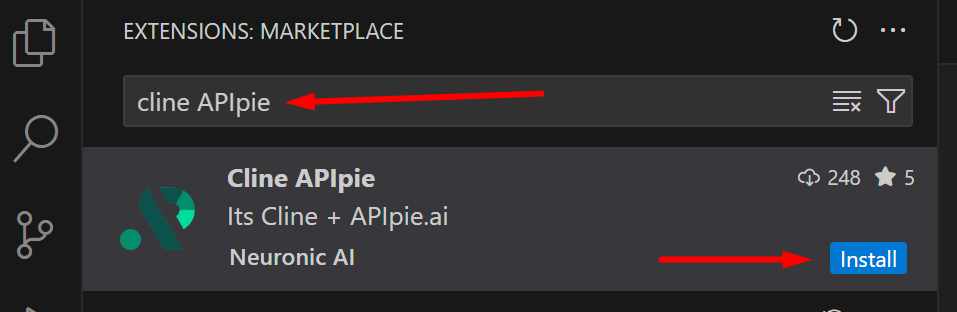
- Open VSCode and navigate to the Extensions marketplace
- Search for "Cline APIpie" and install the extension
- Alternatively, you can install it directly from the VS Marketplace
5. Configure APIpie in Cline with Advanced Features
- Open Cline in VSCode - Click the Cline-APIpie icon in the Activity Bar
- Click on the settings icon in the interface
- Select "API Providers" and choose "APIpie" from the dropdown
- Enter your APIpie API key in the designated field
- Configure the following advanced features:
Enable Memory
Memory provides prompt caching functionality similar to Anthropic's caching, but works across all models. This allows you to:
- Maintain conversation context when switching between different models
- Reduce token usage by avoiding reprocessing of previous messages
- Create consistent experiences across different API providers
Memory Configuration Options:
- Session: A unique identifier for the current conversation thread
- Expire: Time in days before cached messages expire
- mem_msgs: Maximum number of messages to keep in memory
For more information about memory management, please refer to our API documentation.
Important: Always clear memory between separate tasks and different sessions using the "Clear Memory" button to prevent context contamination and ensure fresh responses.
Enable Integrity
Integrity is a powerful feature that helps prevent hallucinations in AI responses. When enabled, this feature:
- Verifies information against known facts
- Reduces the likelihood of generating inaccurate or fabricated information
- Improves the reliability of responses for factual queries
For more information about memory read our Integrity docs.

6. Start Using Cline with APIpie
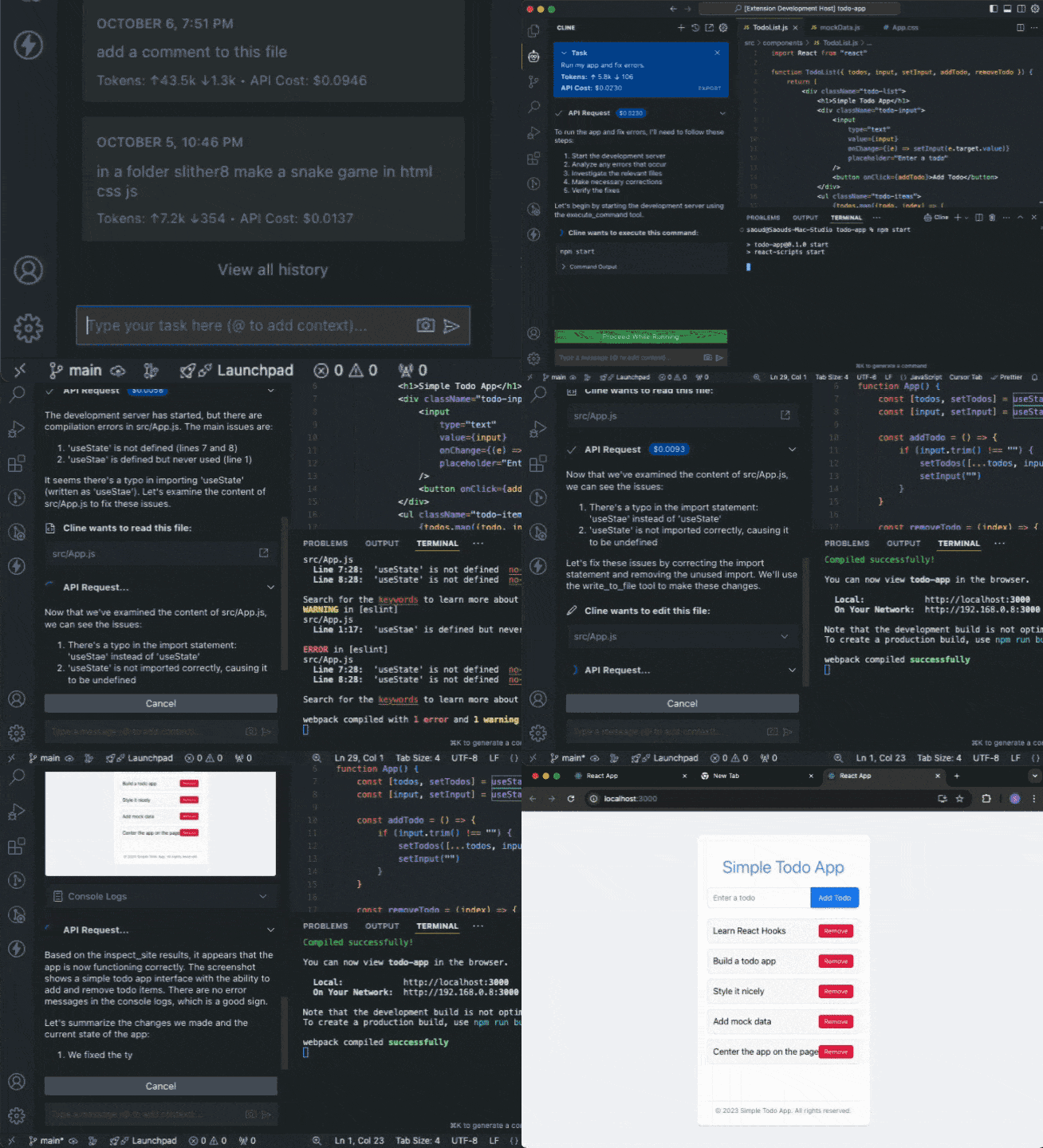
- With the integration complete, you can now enjoy AI-powered assistance in VSCode using Cline with APIpie models
Key Features
Run Commands in Terminal
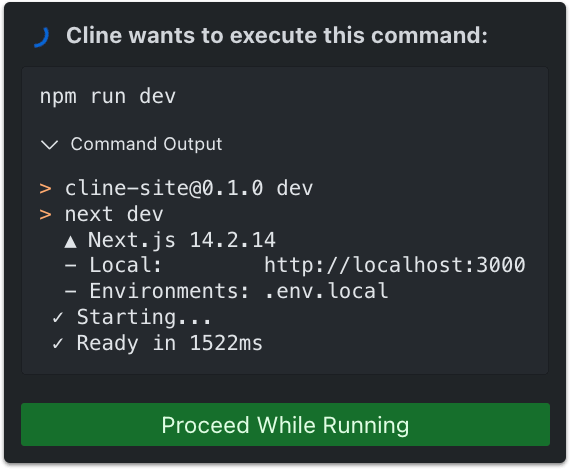
Cline can execute commands directly in your terminal and receive the output. This allows it to perform a wide range of tasks, from installing packages and running build scripts to deploying applications, managing databases, and executing tests.
Create and Edit Files
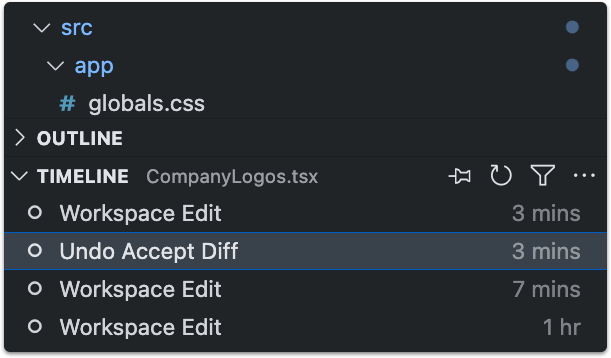
Cline can create and edit files directly in your editor, presenting you a diff view of the changes. You can edit or revert Cline's changes directly in the diff view editor, or provide feedback in chat until you're satisfied with the result.
Use the Browser
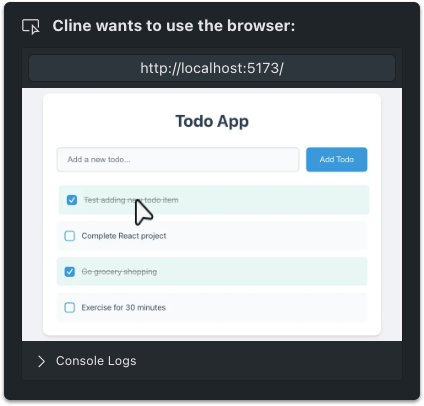
Cline can launch a browser, click elements, type text, and scroll, capturing screenshots and console logs at each step. This allows for interactive debugging, end-to-end testing, and even general web use.
Custom Tools with MCP
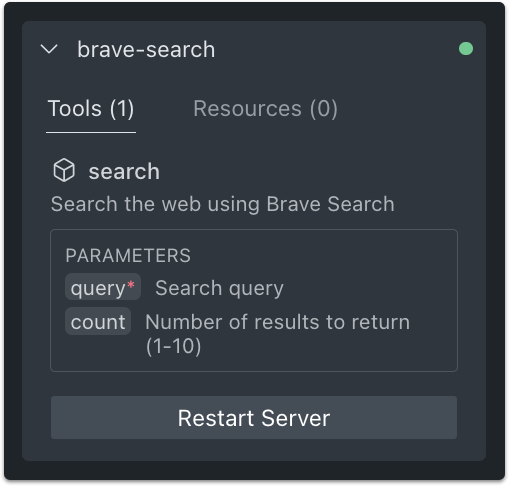
Thanks to the Model Context Protocol, Cline can extend its capabilities through custom tools. Just ask Cline to "add a tool" and it will handle everything, from creating a new MCP server to installing it into the extension.
Caveats
- Make sure to review and approve all terminal commands before execution
- For optimal performance, use Claude 3.5 Sonnet or higher models
- If you encounter any issues with the integration, please reach out on our Discord
Additional Resources
- Cline Website: Explore more features and capabilities of Cline. Visit the website
- Cline GitHub: Access the source code and contribute to the Cline project. Visit GitHub
- Cline Documentation: Dive deeper into Cline's functionalities and configurations. Access the docs
- Cline Discord: Join the community for support and discussions. Join Discord
Connect with Cline
Additional Support
If you encounter any issues during the integration process, please reach out to us on Discord for assistance.
Cursor Configuration Guide: Quick Setup
Learn how to integrate Cursor with APIpie for enhanced AI coding capabilities. Simple setup guide for API configuration with screenshots.
Pipedream Integration: Setup Guide
Discover how to seamlessly integrate Pipedream with APIpie for enhanced chatbot capabilities. Follow our step-by-step guide today!